The PX7 Image Watermark app icon

PX7 Image Watermark

Add text or logo watermarks to your photos.

Add your name, copyright or logo once. Preview the real result, then apply it consistently to the entire folder.

macOS 14 Sonoma or later, Apple silicon or Intel.

Less than 5 MB to download.

Seven-day trial · €15 one-time · updates through version 1.x · one key for up to seven Macs.

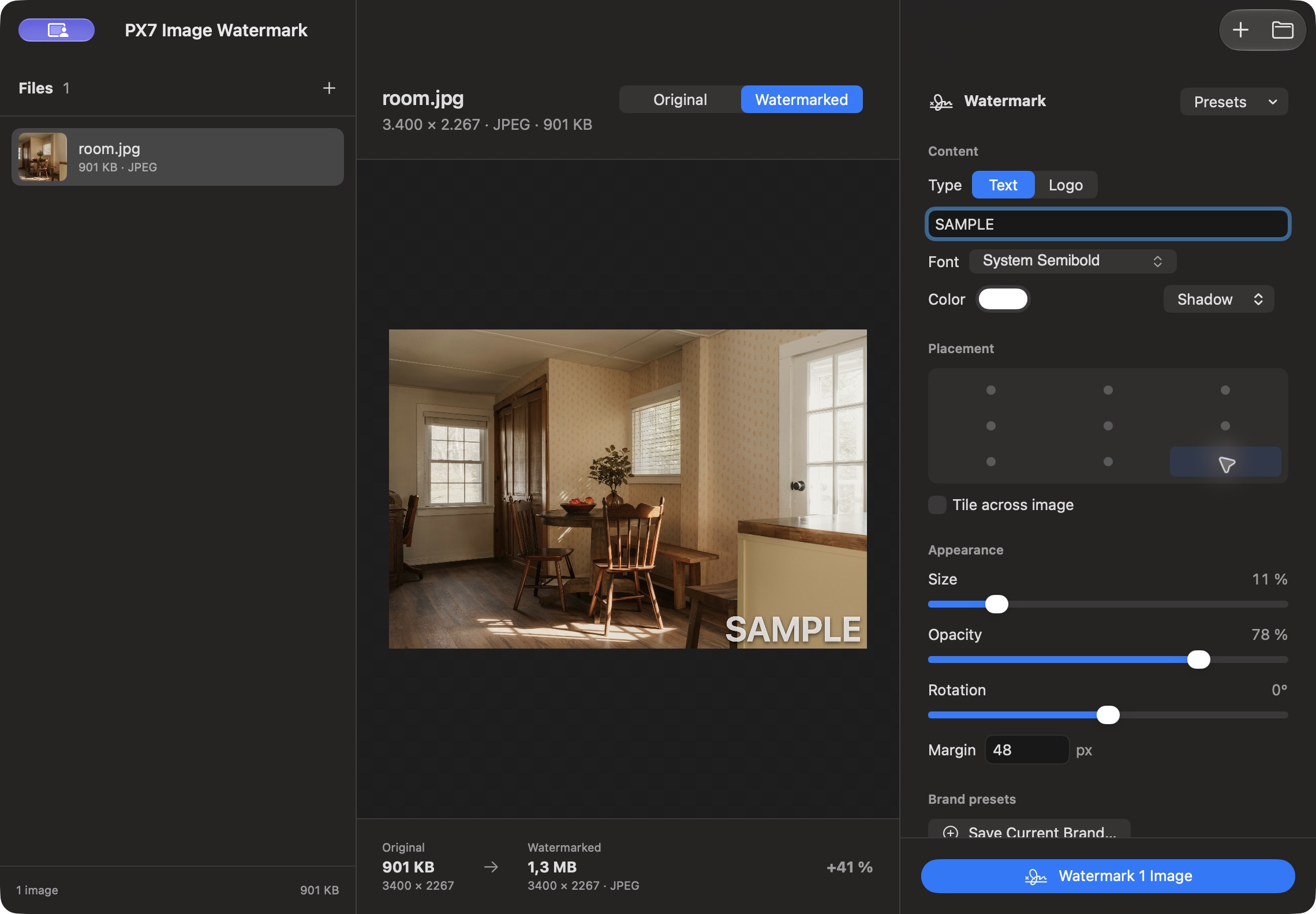
PX7 Image Watermark preview with a SAMPLE text watermark in the bottom-right corner
Preview a text watermark and adjust its position, size and opacity before exporting. Sample photo: Clay Banks / Unsplash.

Apply a watermark to one image or a folder.

Text or image watermarks

Use a copyright line, creator name or a transparent image logo. The same renderer drives preview and export.

Place it precisely

Choose one of nine anchor positions, set the margin or repeat the watermark across the image.

Adjust size, opacity, rotation and colour

Adjust size, opacity and rotation. Text can be clean, outlined or softly shadowed, with the color you choose.

See the real result first

Switch between Original and Watermarked and inspect the actual rendered file before processing the folder.

Save complete brand presets

Store a logo or text treatment with its placement and appearance, then restore it with one click next time.

One image or the entire folder

Drop complete folders, choose the watermark once and safely stop after the current image whenever you need to.

Output formats and metadata settings

Use Smart output or choose JPEG, HEIC, WebP, PNG or TIFF. Keep metadata, remove location, or strip descriptive details.

Your originals stay untouched

Watermark writes new, collision-safe files. Nothing is uploaded, and an existing file is never overwritten.

The details

Quick answers

Questions about PX7 Image Watermark

What is PX7 Image Watermark?
Add text or logo watermarks to one image or a folder. Preview placement, save presets and export locally on your Mac. €15 once.
Where does PX7 Image Watermark do its work?
PX7 Image Watermark processes images locally on your Mac.
How much does PX7 Image Watermark cost?
PX7 Image Watermark costs €15 once. It includes a seven-day trial, and one app-specific key can be used on up to seven Macs. There is no subscription.
Which Macs can run PX7 Image Watermark?
macOS 14 Sonoma or later, Apple silicon or Intel
How do I batch watermark photos on a Mac?
Add a folder, position the watermark once, and it is applied to every image in the same place. PX7 Image Watermark handles a single image or complete folders, with a live preview before anything is written.
Can I use my logo as a watermark instead of text?
Yes. A watermark can be text or an image logo, placed once or tiled across the picture, with opacity and position under your control.
Can I save watermark settings for reuse?
Yes — saved brand presets keep the wording, logo, placement and opacity, so the next set of images gets an identical treatment without setting it up again.
Does watermarking change my original images?
No. Watermarked versions are written as new files and processing stays on your Mac.