The PX7 Image Convert app icon

PX7 Image Convert

Convert and resize a folder of images.

Choose the output format, dimensions and metadata settings, preview the result, then export the batch.

macOS 14 Sonoma or later, Apple silicon or Intel.

Less than 5 MB to download.

Seven-day trial · €15 one-time · updates through version 1.x · one key for up to seven Macs.

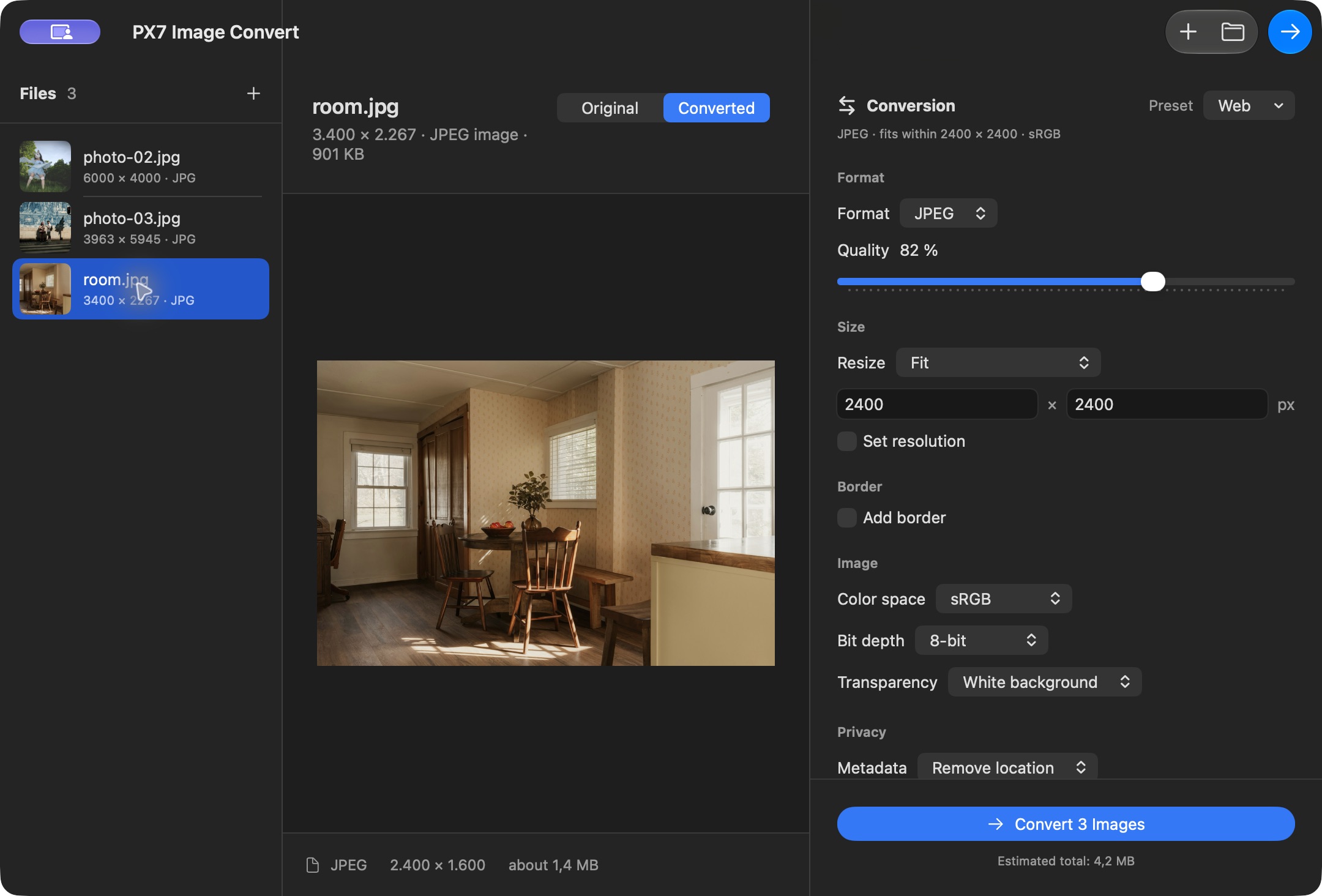
PX7 Image Convert with three photos queued, a converted preview, and controls for JPEG quality, image size, color space and metadata
Three photos queued in the actual Mac app. Choose a format and size, inspect the converted preview, then convert the batch. Demo photos: Clay Banks, Molly Mears and Miguel Sousa / Unsplash.

Apply format and size settings to a batch.

HEIC, JPEG, PNG, TIFF and WebP

Convert images between HEIC, JPEG, PNG, TIFF and WebP in one batch.

Presets for web, print and archiving

Choose Web, High Efficiency, Print, Archive or an exact Instagram target. The app shows the resulting format, dimensions and crop before you convert.

Crop, fit and add borders

Crop cleanly, preserve the complete image or add an exact border to every image. Set left/right and top/bottom spacing independently by typing the pixel value or using 1 px steps, with a live Original/Converted preview.

Choose colour space and transparency

Choose sRGB, Display P3, grayscale or preserve the source. Keep transparency where the format supports it, or place it on white or black.

Share without sharing your location

Keep metadata, remove GPS coordinates, or remove descriptive metadata from every converted copy.

Know the likely size before you start

See an estimated output size for each image and the complete batch while you adjust format, quality and dimensions.

Check settings and verify exports

Before a batch begins, the app checks its settings, destination and available space. Every output is then reopened and verified. You can safely stop after the current image at any time.

Your originals stay untouched

Convert writes new, collision-safe files. Nothing is uploaded, and an existing file is never overwritten.

The details

Quick answers

Questions about PX7 Image Convert

What is PX7 Image Convert?
Convert HEIC, JPEG, PNG, TIFF and WebP in batches. Resize, control color and metadata, and keep every original untouched. €15 once, seven-day trial.
Where does PX7 Image Convert do its work?
PX7 Image Convert processes images locally on your Mac.
How much does PX7 Image Convert cost?
PX7 Image Convert costs €15 once. It includes a seven-day trial, and one app-specific key can be used on up to seven Macs. There is no subscription.
Which Macs can run PX7 Image Convert?
macOS 14 Sonoma or later, Apple silicon or Intel
How do I convert HEIC to JPG on a Mac?
Add the HEIC files, choose JPEG as the output, and convert. Photos taken on an iPhone are HEIC by default, which is why they often need converting before going somewhere that expects JPG. PX7 Image Convert reads and writes HEIC, JPEG, PNG, TIFF and WebP in batches.
How do I convert WebP to PNG on a Mac?
Select the WebP files and choose PNG as the output. PNG supports transparency, but conversion cannot restore detail already lost in a lossy source.
Can I convert a whole folder of images at once?
Yes — drop in a folder and every image is converted with the same settings, including resize and colour handling. Presets are available for Web, High Efficiency, Print, Archive and Instagram targets.
Does converting change my original photos?
No. Converted files are written as new images and every original is left untouched. Processing happens on your Mac, with no uploads and no analytics.